
While many airlines are equipped with WiFi, they offer different onboard plans. Some nicer planes offer full connectivity without any special terms and conditions, while most airlines like Air Canada give free messaging services via WhatsApp and charge for full internet access. However, Cathay Pacific is a bit cheap here by not offering anything for free. You can either purchase a shorter 1-hour pass or a more expensive full-flight pass.
There is one trick that will grant you full internet access for free. However, the only catch is that the connection only lasts 1-2 minutes, although you can try it several times during your flight. If you are going to spend most of the flight sleeping or watching movies, while periodically staying connected with family and friends, this is a perfect travel hack.
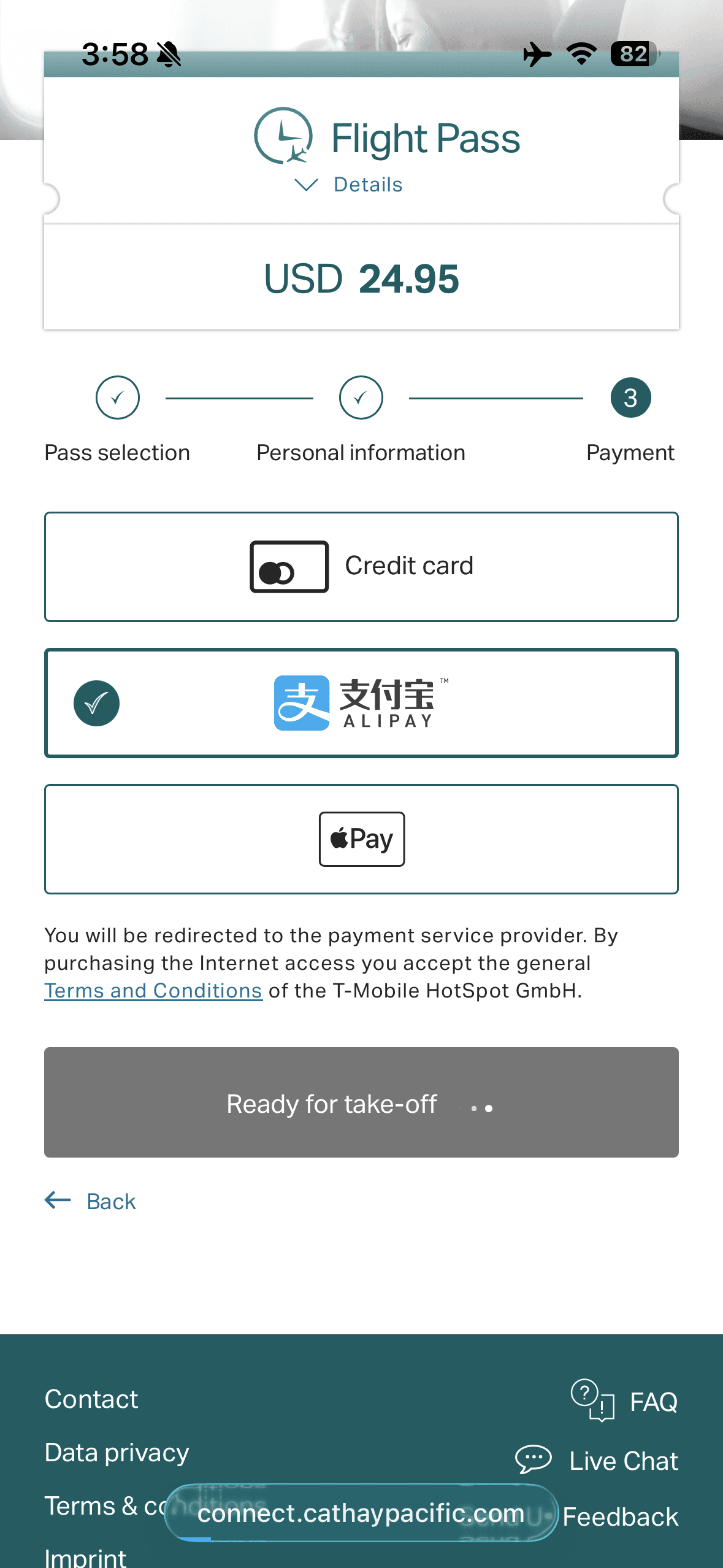
The process is not complicated: Step 1, you connect to the onboard WiFi and open up their purchase page. You can select any plan on this page.
Step 2, When it asks you for payment, select Alipay instead of another payment method.
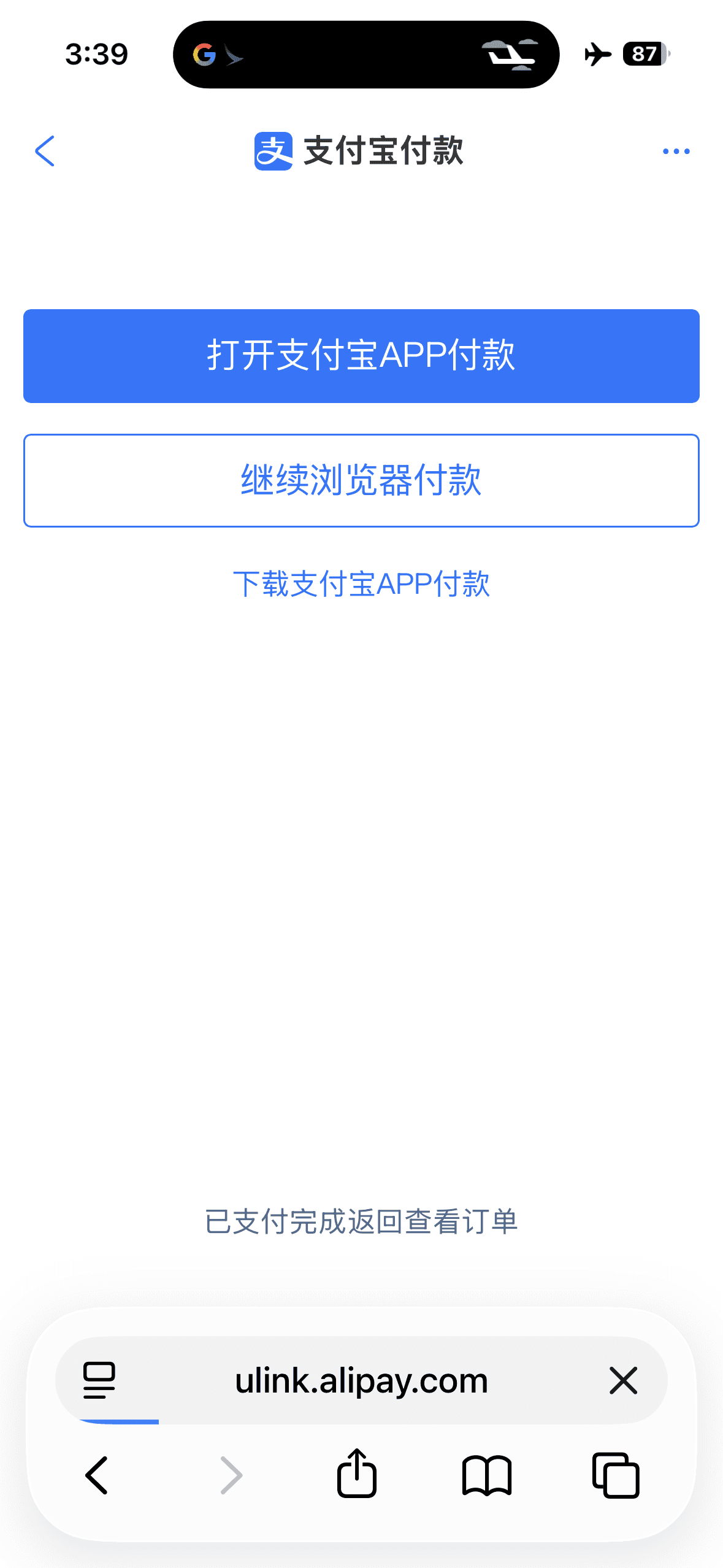
The trick here is that after selecting Alipay as a payment method, the payment system will redirect you to Alipay to complete the transaction. Normally, this would only allow you to open websites or IP addresses whitelisted by the airline, but in Cathay Pacific’s case, this actually opens up full internet access for one or two minutes. I guess either Alipay doesn’t have a specific API or it returns payment status through dynamic connections, so Cathay Pacific can’t really limit access to just Alipay servers.
Step 3, anyway, once it redirects you to Alipay, you don’t actually have to complete the payment. Just open up your familiar apps (such as iMessage) and wait for the content to load.
Based on my actual testing, the WiFi speed and 1-2 minute window are enough for receiving and sending a few text-based messages (or smaller pictures), which is good enough for my particular use cases.
I did notice Cathay tracks device IDs through MAC addresses or other channels, so you can’t retry this hack repeatedly. But doing a hard reboot of your device, waiting some time, or simply pulling out another device will grant you another 1-2 minute window to connect again.