
Apple TV Remote App Now Supports Landscape Mode
After upgrading to iOS 27 Developer Beta 1, I noticed a few changes. One of the more surprising ones happened when I was watching For All Mankind the other day.
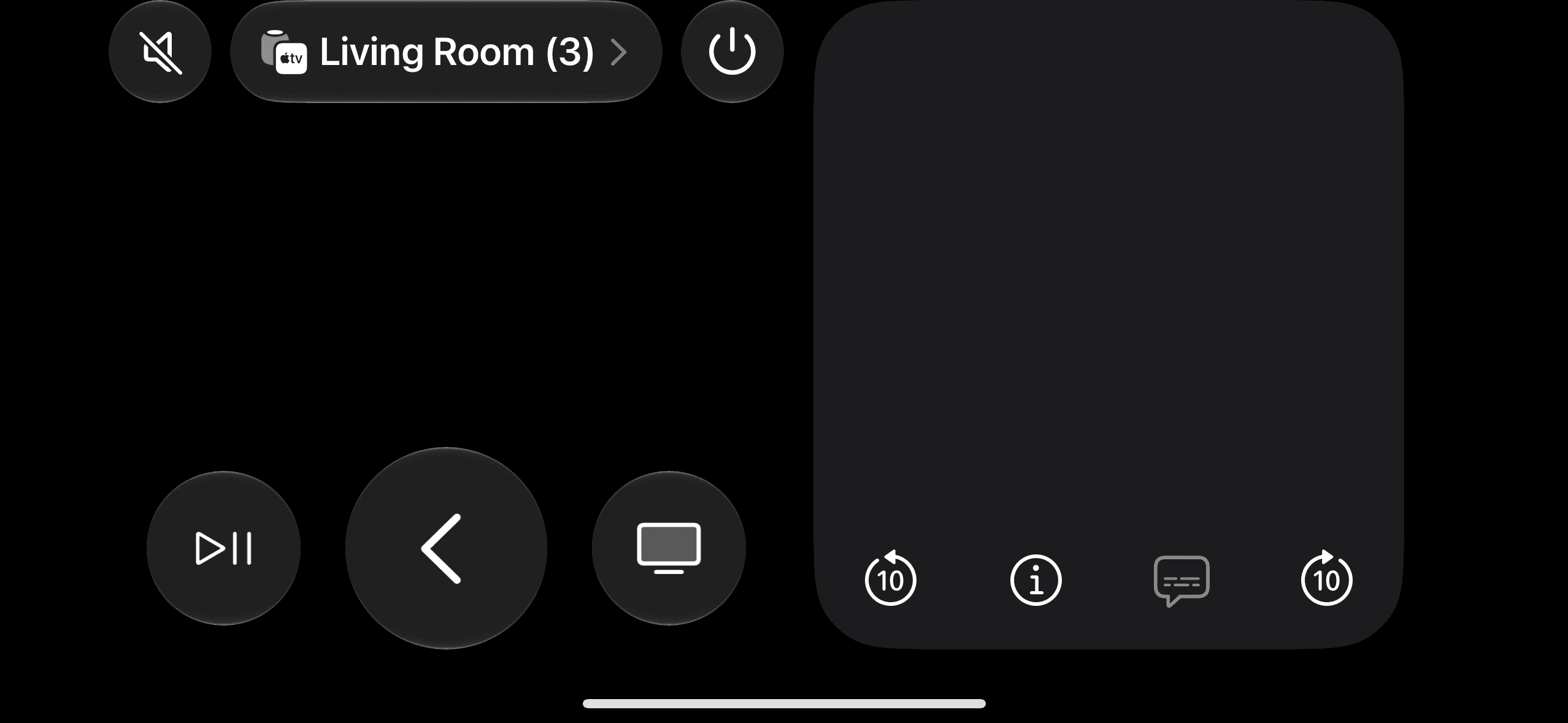
I was going about business as usual, using my phone to control my Apple TV. Coincidentally, I was holding my phone horizontally. Suddenly, the always-vertical Remote app switched to a landscape mode I had never seen before. Connecting the dots to the soon-to-launch foldable iPhone, this new horizontal (or unfolded) UI makes a lot of sense.
In this unfolded mode, the left side preserves the three control buttons at the bottom of the screen, while the right side is used purely for swiping gestures alongside a few less important controls.
The Treatment Is Different from the iPad Mini (Which Would Have a Similar-Sized Screen)
On the larger iPad mini with iPadOS 26, this same Remote app lives as a floating widget when you turn it on in the Control Center, rather than running as a full-screen app. On the flip side, clicking the calculator button in the Control Center opens the Calculator in full-screen mode.
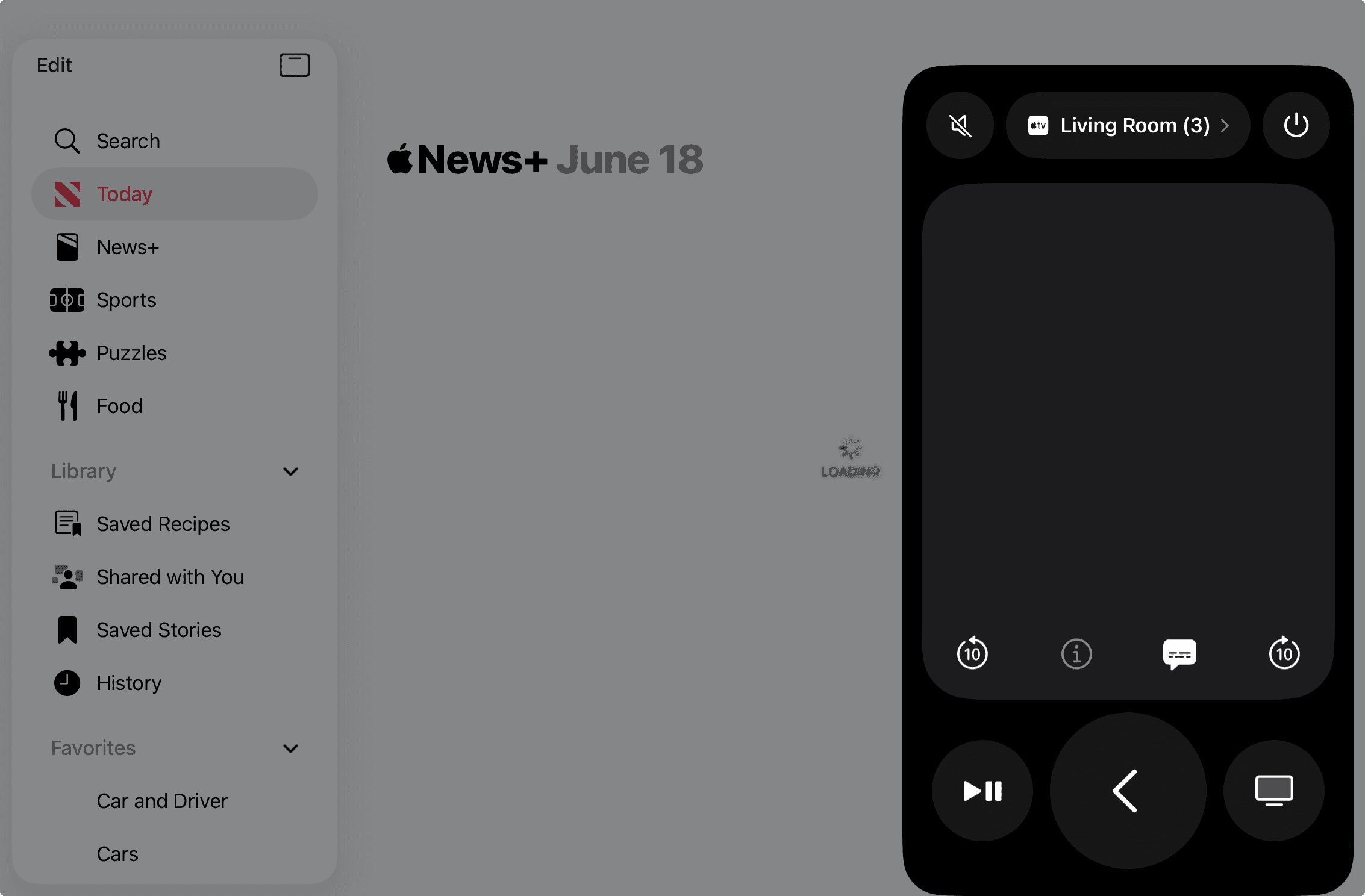
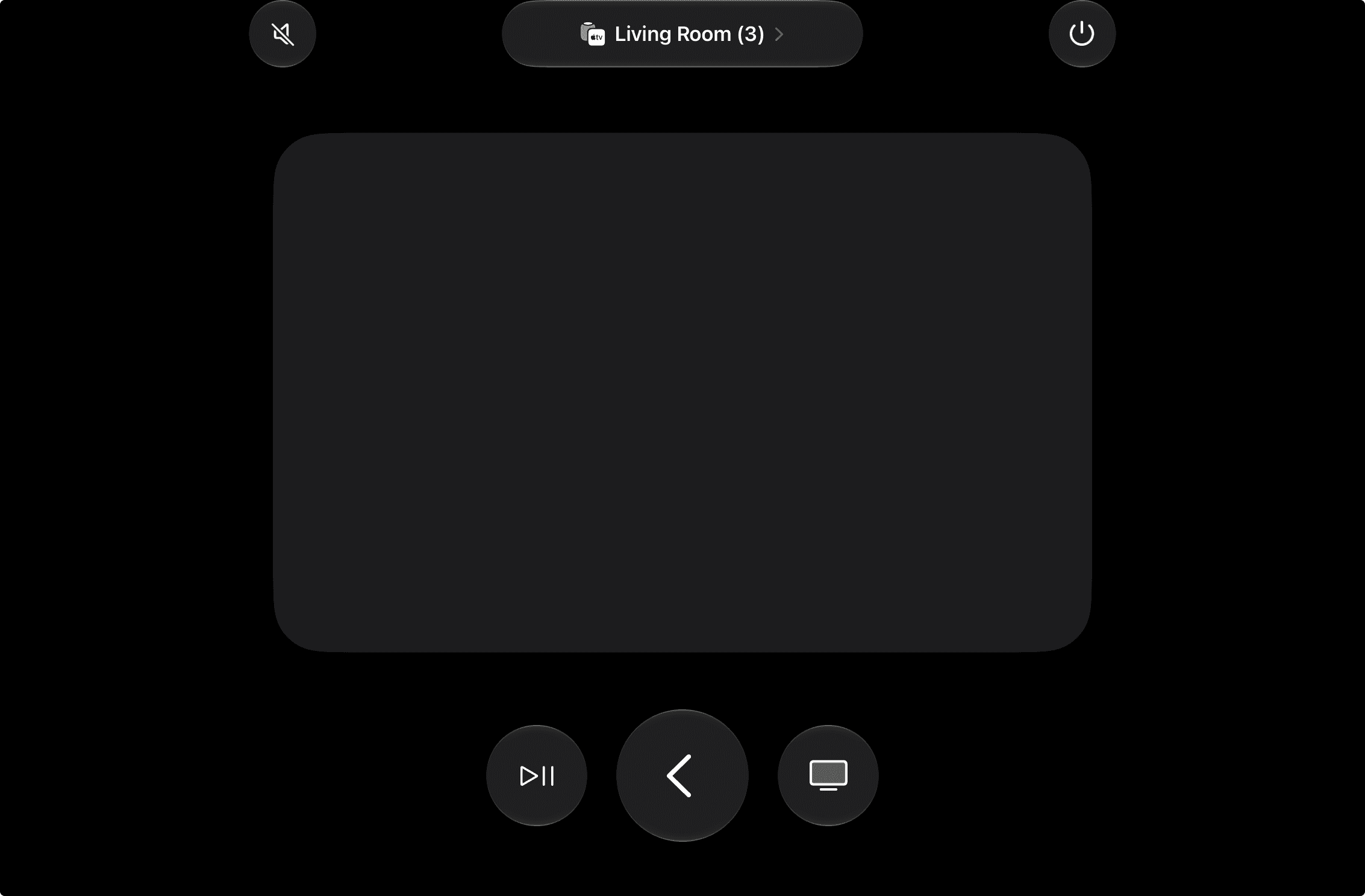
However, in iPadOS 27, the Remote app is also a full screen app, while the execution looks much less elegant than the iOS 27 solution.
Then, when you turn on Windowed Apps mode on the iPad, the same Remote app resorts to a similar two-column UI.
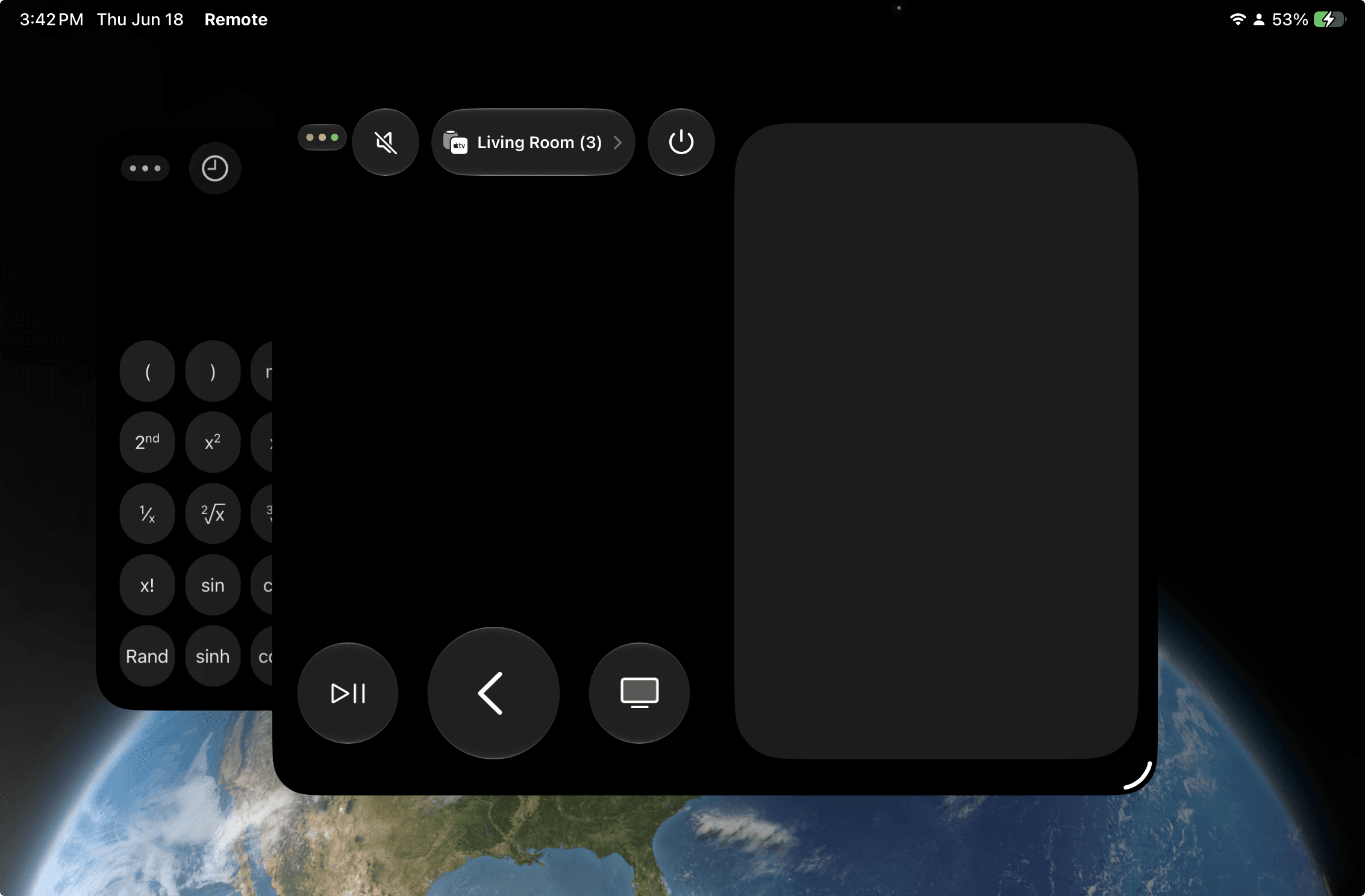
So, the UI logic looks like this now: the Remote app itself has two versions—a traditional vertical version and a new landscape version. The iPad might use either of them depending on whether it's running as a windowed app or a full-screen app. Similarly, the new foldable iPhone might use either version depending on whether it's in landscape or vertical mode.
These differences are interesting and could offer a glimpse into how Apple will treat the new foldable iPhone UX. But it remains unclear if the foldable iPhone will actually support multi-window mode. I highly doubt it; if Apple still can't remove the crease completely, the multi-window dragging experience might not be up to Apple's standards.
A Foldable iPhone Is a Bigger iPhone, Not a Smaller iPad
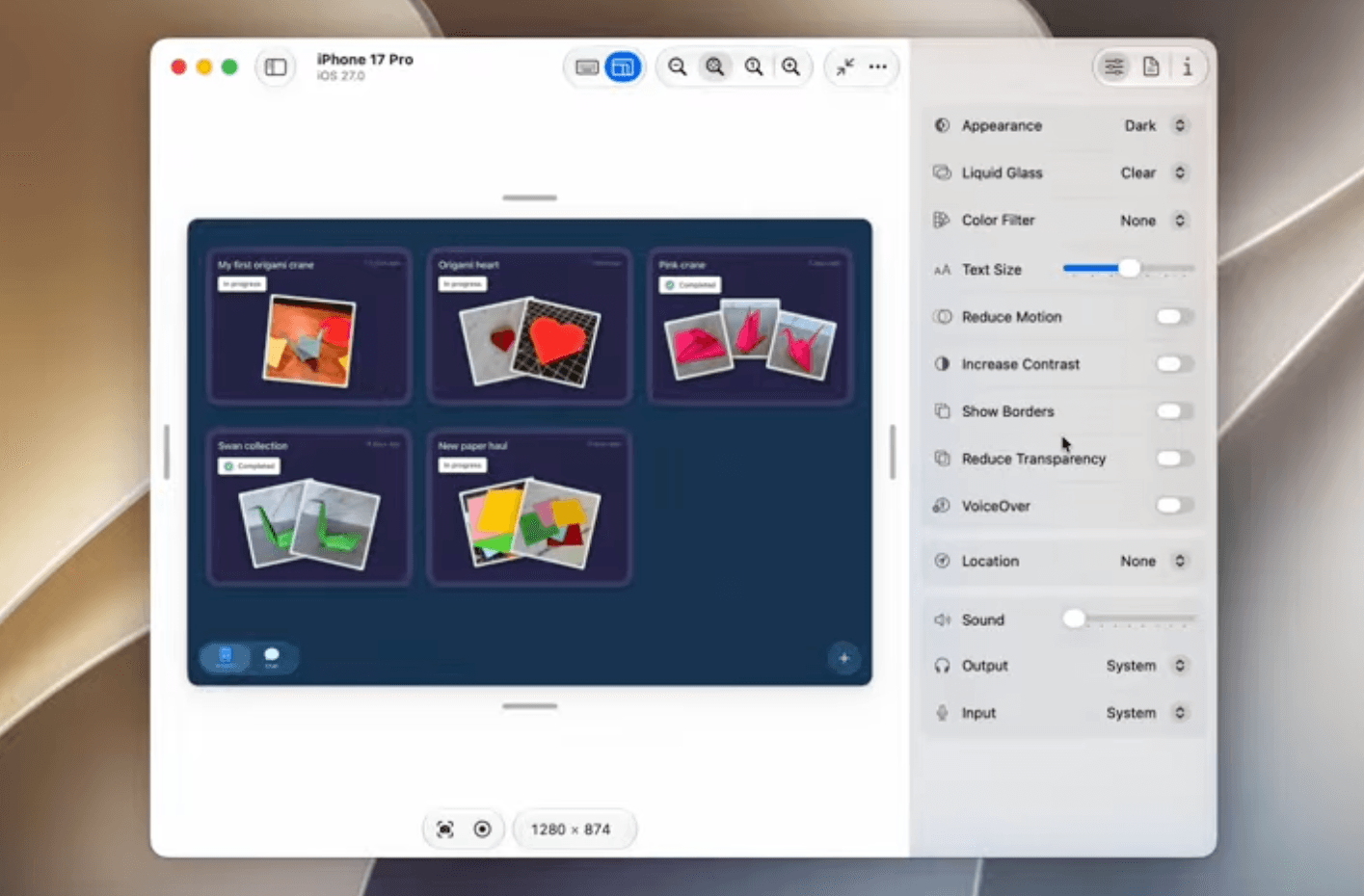
With the newly announced auto screen resize tool introduced in the Device Hub feature at WWDC26, it looks like Apple’s primary software goal is to ensure the compatibility of current apps on the larger foldable screen.
Meanwhile, MacRumors has covered how more apps are now supporting landscape mode.
Simply put, based on these anecdotal data points, the foldable iPhone will likely serve as a bigger iPhone rather than a smaller iPad.
Upon my own checking, a few classic apps like Clock or the App Store still don’t support landscape mode. I wonder if some of these will simply adapt the iPad mini layout or if they will be redesigned specifically as iPhone apps.
Will iOS and iPadOS Merge One Day?
There has been speculation that iPadOS might merge with macOS, or that iPadOS will merge with iOS on the foldable iPhone. As logical as those assumptions might sound, I don’t think they stand a chance right now.
Aside from the fact that the company politics of making such a move would be unrealistic, each platform still has a lot of fundamental aspects to consider before such a massive shift can occur.
In my previous review of the iPad mini, I found that the customizability of iPadOS actually has its limitations on the smaller screen, as it was originally intended for the larger 11-inch and 13-inch iPads. Given these foundational differences, Apple might think it’s still too risky to fully adapt the iPadOS UI design and style to foldable iPhones.
Although it might sound as simple as a screen-size adaptation issue, consider the competition: as successful as Android phones are, Android tablets are still far from being as successful as Google wishes them to be. Ecosystems and user behaviors are not easy to change overnight.
Either it's named iPhone Max or iPhone Ultra, it's still an iPhone after all.