
Nostalgia
I've used many full-size keyboard phones in my life. Compared to T9 phones, a full QWERTY keyboard was kind of a killer feature back when you spent a lot of time typing in IM apps. My very first smartphone was a Nokia E63, which had rubbery soft keys that made a squeaking sound as your fingertips touched them. I've also used the Samsung i927 and the LG enV2. You never forget the cool factor of pulling out a phone like that — it's just iconic, and memorable to me personally.
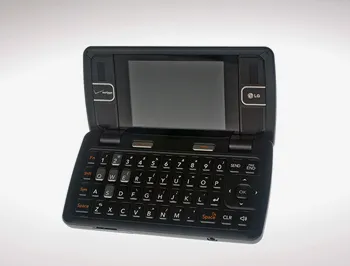
LG enV2 Credit: Wired
So when Clicks first announced their full-size keyboard case for phones, I was quite intrigued. But after seeing the almost 30:9 aspect ratio once it's on the phone, and not owning a compatible phone, it was kind of a turn-off for me.
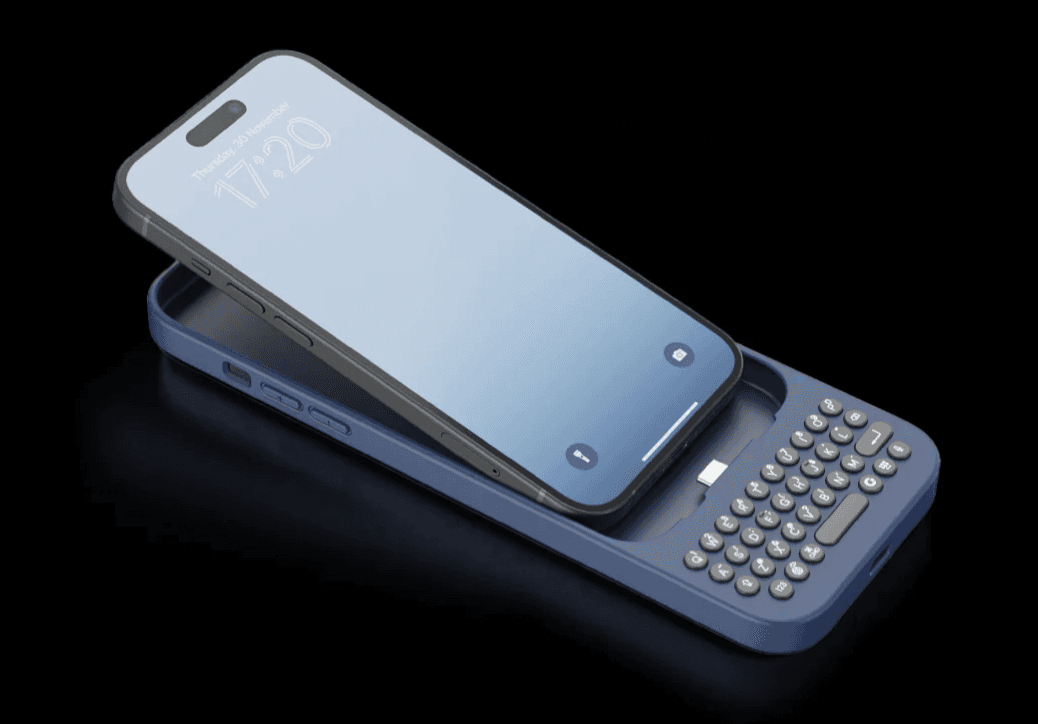
Later, they launched a keyboard case for the Razr, which looked like the perfect form factor for restoring the QWERTY keyboard in the age of gigantic phones. But I had to pass on that one too, since I didn't own a Razr.
And finally they launched the almost-universally-compatible Clicks Power Keyboard, which magnetically attaches to almost any smartphone using a MagSafe-compatible case. And it's easier to take on and off than a phone case. Sold on the vision, I placed my pre-order. After about six months of waiting, I finally received my unit.
Hands-on
The product came in a beautifully crafted box, sturdy enough to survive a week on the road while protecting the contents from damage. And to be honest, even the box itself barely showed any damage at the corners.
After unwrapping the body wrap — which seems a bit unnecessary, but does add some unboxing magic — I was finally able to get hold of it.
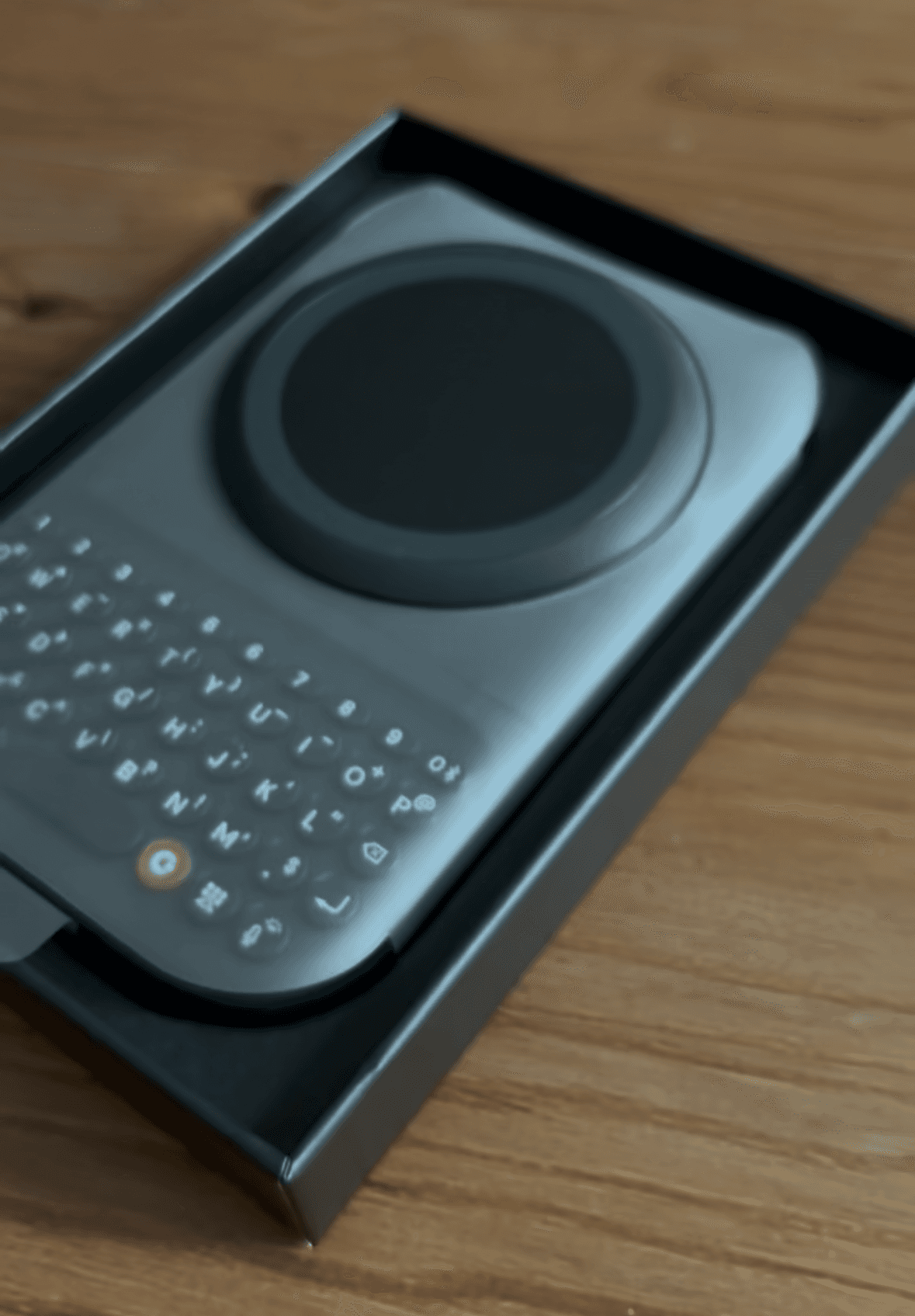
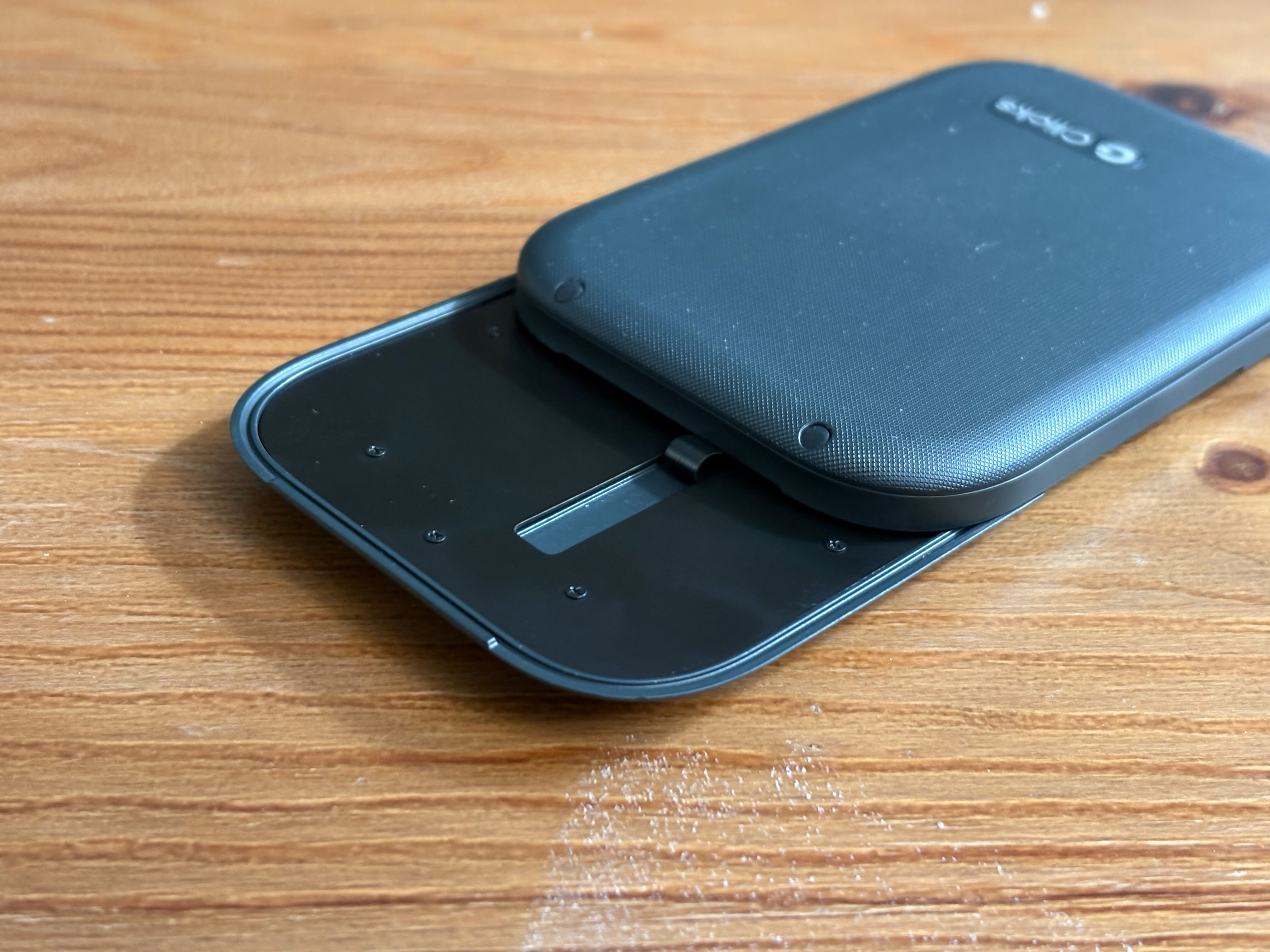
The Clicks Power Keyboard has a solid build; it feels very sturdy in hand. Smooth surfaces on the front, and slightly angled keys that give it some sort of ergonomic feel. To use the keyboard, you're supposed to slide the MagSafe pad up (or slide the keyboard down, when it's attached to your phone). As the pad slides up, you can see the internal parts driving the sliding mechanism, accompanied by a sharp and satisfying click. At the same time, you'll see some exposed screws, which make it look a bit industrial. The good news is that once you attach your phone, those exposed parts are hidden behind it.
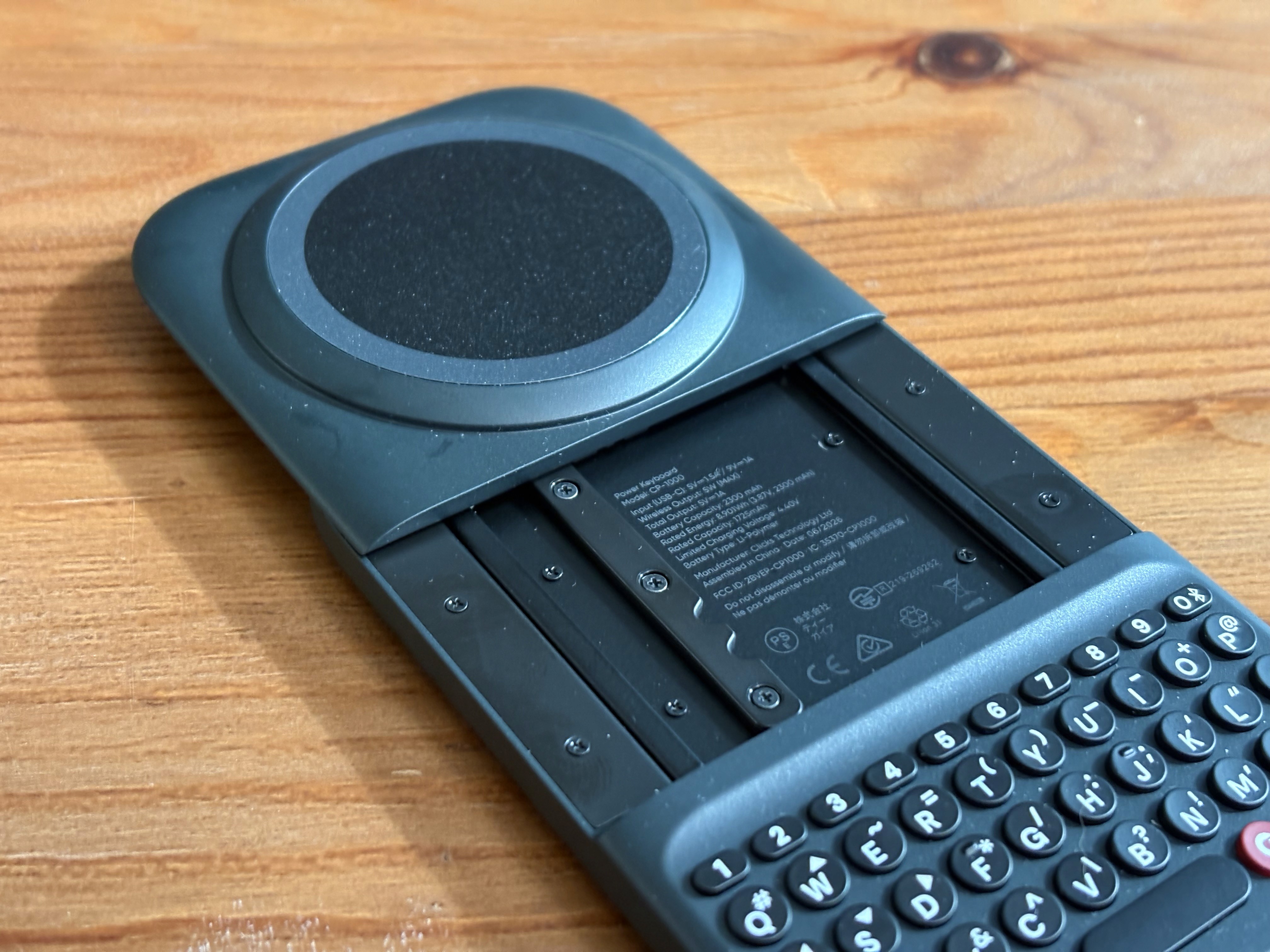
On the back, it uses a textured pattern meant to create friction while you hold it. As I realized later in actual use, the combined weight of the keyboard and phone, along with the slightly off-balance center of gravity, makes that design kind of necessary. There are four more screw points on the back holding the front and rear panels together, though these ones are covered.
Something else that caught my attention: the flat cable is also somewhat exposed when the MagSafe pad is in its working position. It's there to deliver the merely 5W wireless charging, and I don't know whether an exposed cable will hold up long enough to support that feature over the product's lifespan.
Set Up
In a compact form factor, what's underneath is a traditional Bluetooth keyboard with minor customizations, so it isn't hard to pair and use.
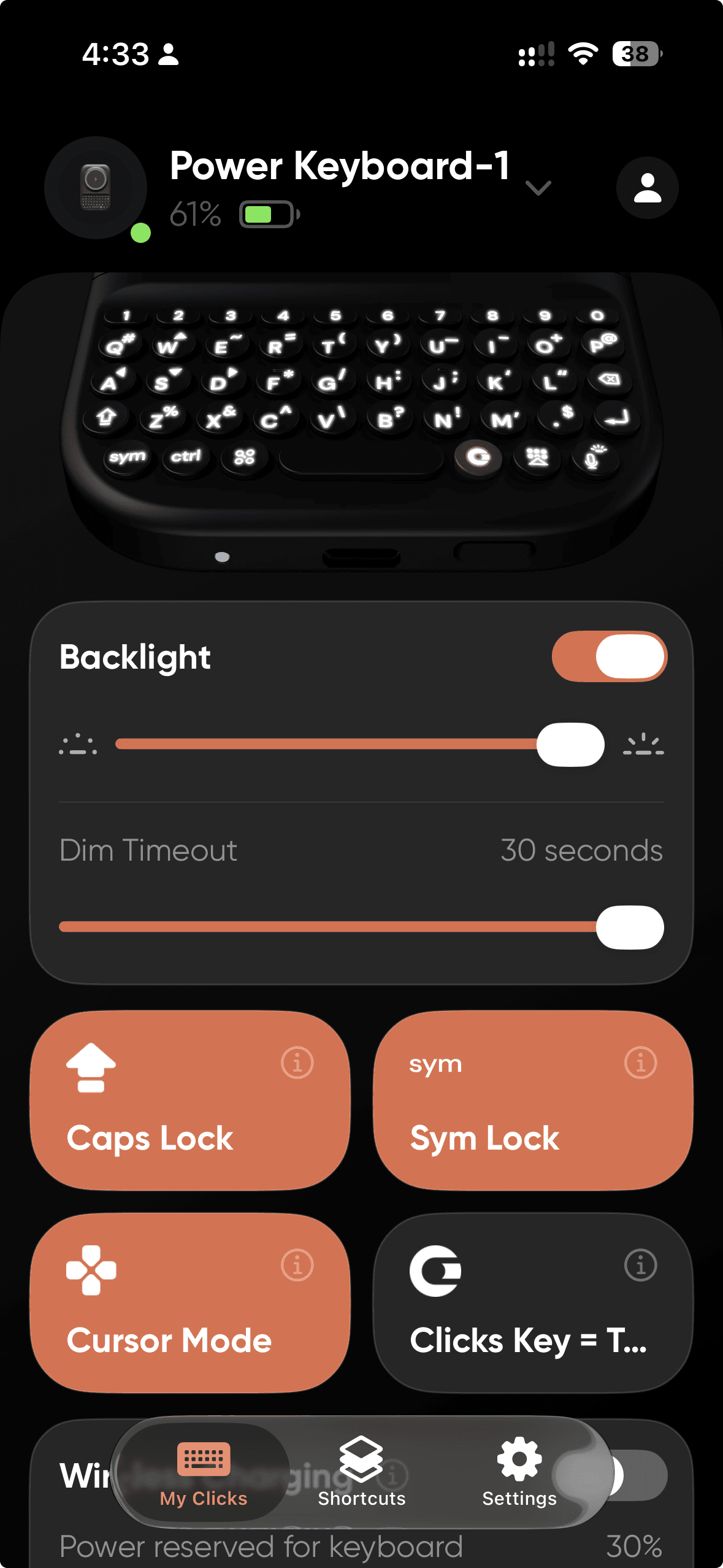
Clicks also developed a dedicated app to help customize the backlight level and some shortcut functions, which are nice touches.
Typing
Having followed this brand and waited so long for my order — man, I wish it were as good as all the other full-keyboard phones I've used. But it doesn't even live up to the expectation of being practical to type on.
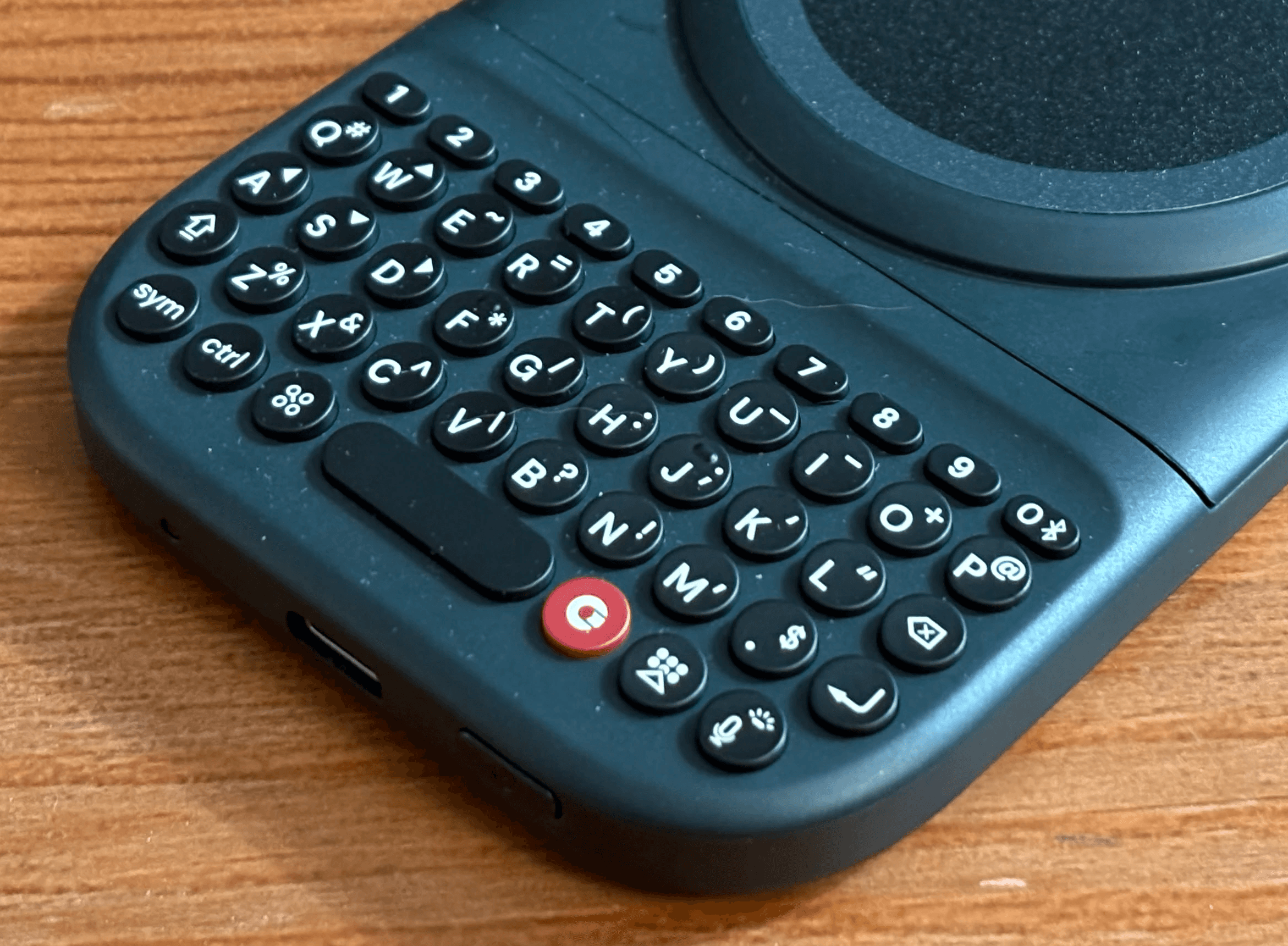
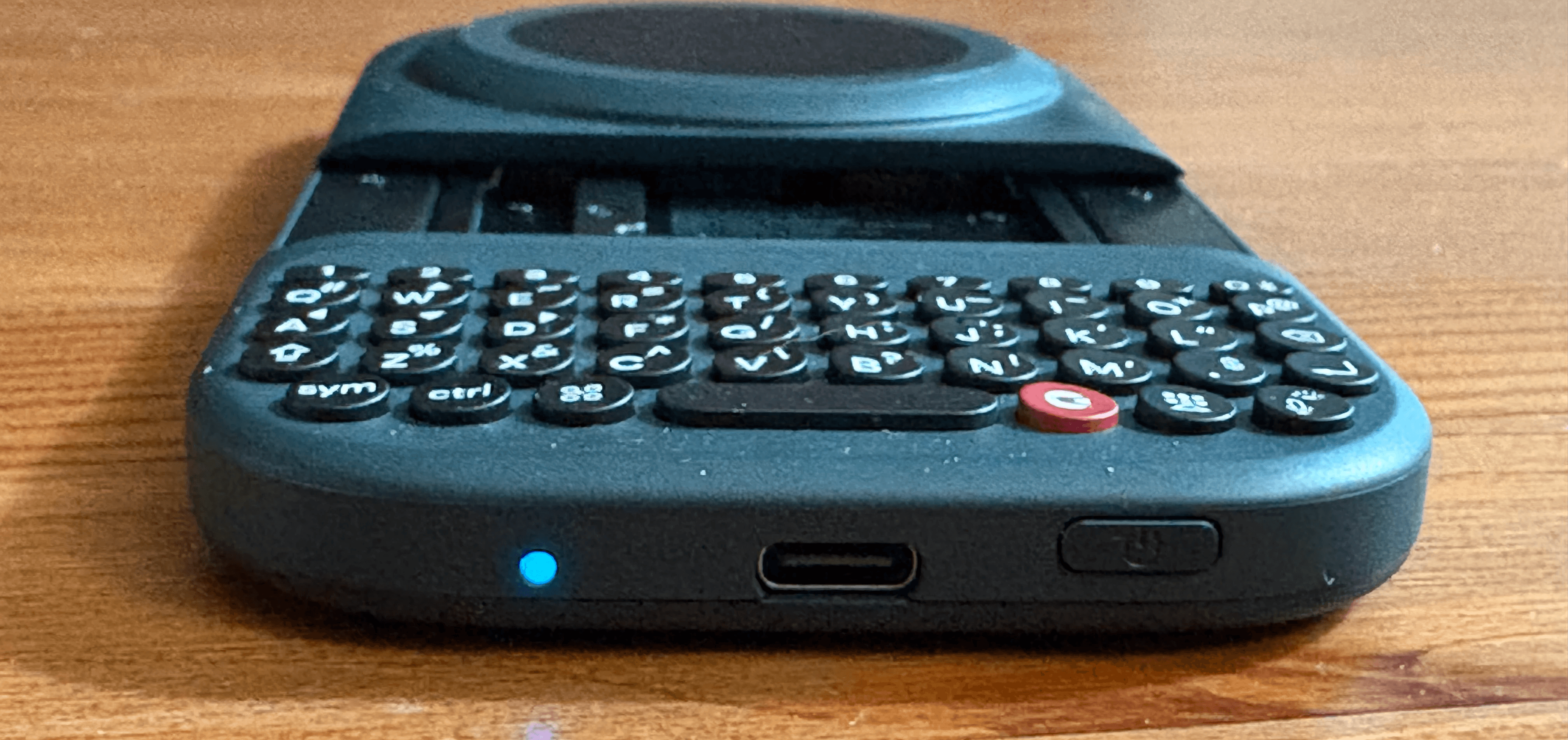
First and foremost, the keys are tiny. Compared to the phones I mentioned above, they're something like a half to a third of the size. The number keys are even smaller than that — about half of a regular key. The tip of my thumb can easily cover two keys, if not three, which has made typos a constant problem when typing with it.
iOS does come with built-in autocorrect, but it appears to be less forgiving with physical keyboards than with virtual ones.
Check out this link to learn how Apple has optimized the virtual keyboard experience.
Apple probably assumed that anyone connecting a regular-sized Bluetooth keyboard is less likely to mistype than someone on glass, so the software doesn't correct mistaps as often. Autocorrection don't always work on physical keyboard if you are too off. And when it works, it take 2 extra taps to correct it based on suggestion.
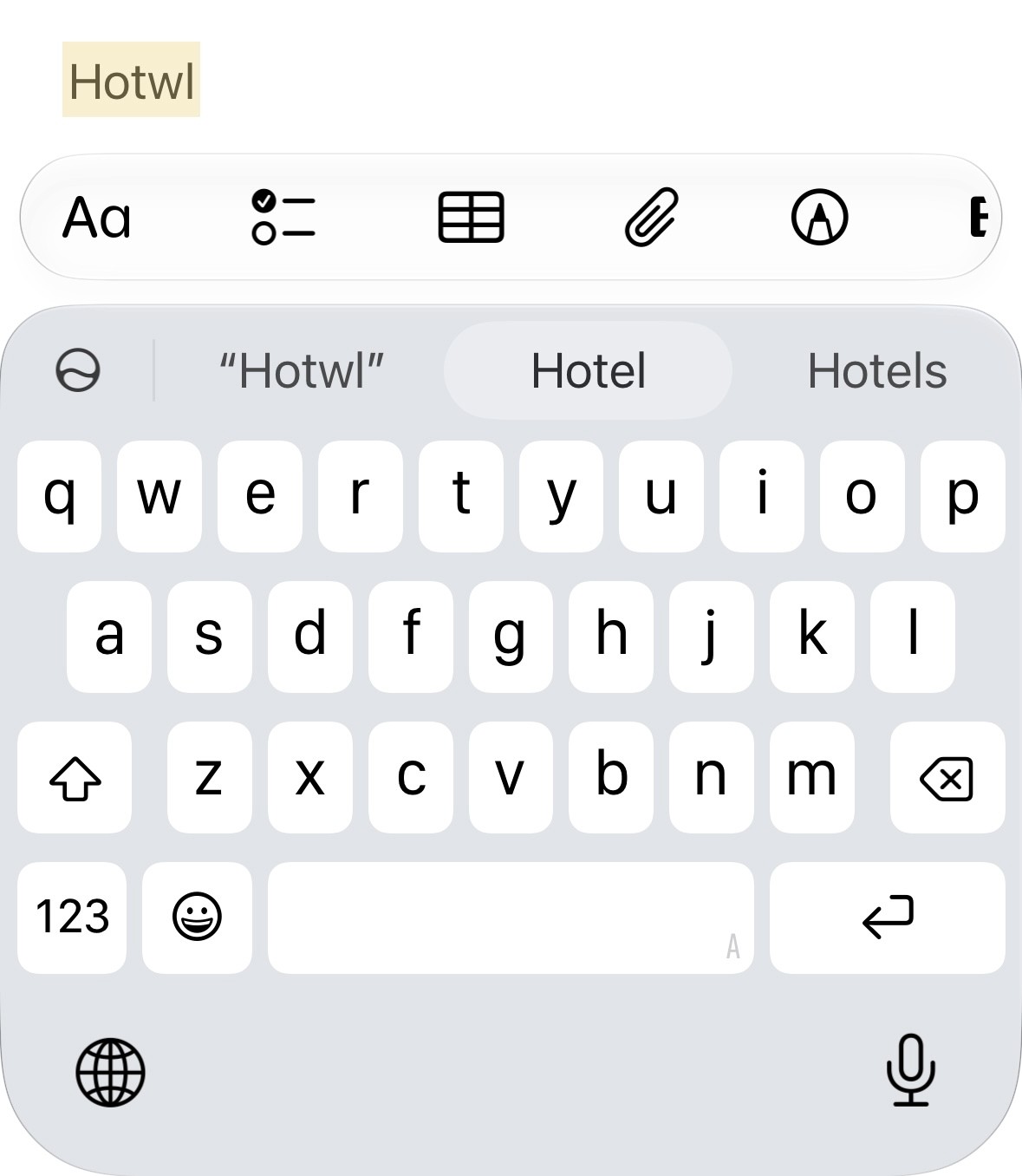
Autocorrection when typing on virtual keyboard
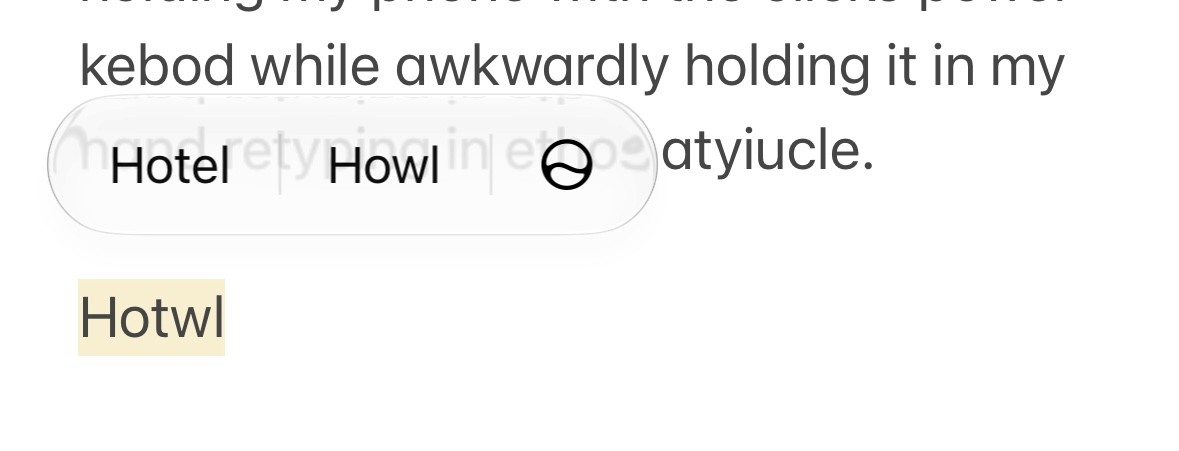
Autocorrection when typing on physical keyboard
The end result is that my typing on the Clicks physical keyboard is actually less accurate and slower than on the on-screen virtual keyboard, since I need to correct all the mistakes.
So unless you have smaller thumbs or get quite used to it, I don't think the typing speed could outbeat the virtual keyboard.
The second issue is weight distribution. The Clicks Power Keyboard is 180 grams, heavier than the iPhone 17. Being heavy isn't really an issue for me. However, at this weight, it's still uncomfortable to hold in your hand, because the balance point sits way too high. It feels like the phone could easily tip as I'm typing and pressing my thumbs at the very bottom of the device.
I think Clicks is well aware of the problem. The heavy weight of the Power Keyboard is their attempt to counteract the weight distribution, and then, with the additional battery volume, they added wireless charging so your phone can be charged from its tiny 1,725mAh battery.
Considering 20–30% power loss and the charge reserved for the keyboard itself, you may end up with up to 1,000mAh for your phone, which is almost nothing compared to a traditional 5,000–10,000mAh power bank — but hey, the Clicks Power Keyboard now has a second selling feature as a power bank.
Albeit the ergonomically designed tiny keys, the device itself wasn't that comfortable to the hold.
Verdict
Overall, I'd rate the typing experience as below practical, which is unfortunate. All the other shortcuts, function keys, power bank duty, and design elements won't compensate for the failure of delivering its biggest selling feature.
But then again, most of these issues aren't within Clicks' control, since they're just an accessory maker for smartphones. They could probably make the keys bigger in the Nokia or BlackBerry style, but they won't be able to physically alter the weight distribution unless phones weigh less than 100 grams. They also can't change how the iPhone autocorrects when typing on a Bluetooth keyboard, since there are bigger keyboards out there that the current typing experience suits just fine.
I sincerely appreciate their efforts in brining the keyboard back, but it's likely one of those nostalgic items that will eventually becoming more and more niche.
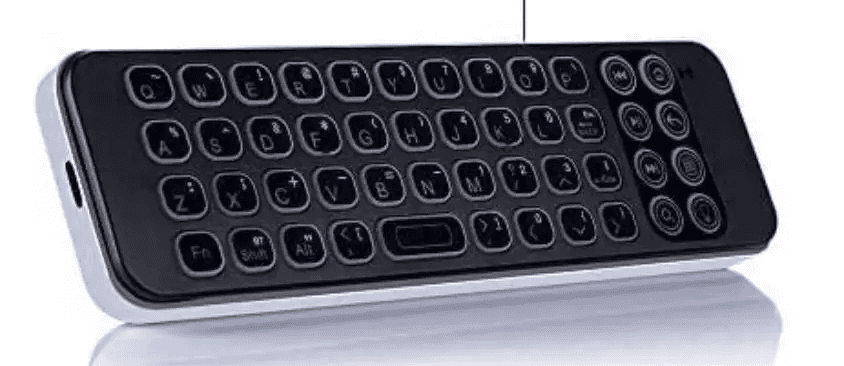
I would rather give my phone a standing case and then pair it with a TV keyboard like this if I don't want to type on glass
How Can You Make It Better
When Clicks announced the Power Keyboard, they also announced the Clicks Communicator phone. Judging by the renders, its keys are bigger than on the current product, and it most likely won't have a weight distribution problem. Along with powerful software like Gboard, I'm sure the typing experience will be much better.
However, the question then becomes: do I need an Android phone as a backup if I'm already daily driving my iPhone? Probably not, for me.
Side Note: The End of the Keyboard
I started this review with my nostalgia not just to revisit my own memories, but also to pay tribute to a vanishing form. Many people, including Gen Z, have opted to use voice input more and more as its accuracy has surpassed typing (just as typing on a virtual keyboard once surpassed the physical keyboard since the launch of iPhone).
I feel like typing itself might even disappear in 10 to 15 years' time, unless you work in a field like law or accounting that requires more precision. And a newer generation, 20 to 30 years from now, might not even recognize a keyboard — just as they don't understand that the design of the save button mimics a 3.5-inch floppy disk, or that the phone icon resembles an actual phone.
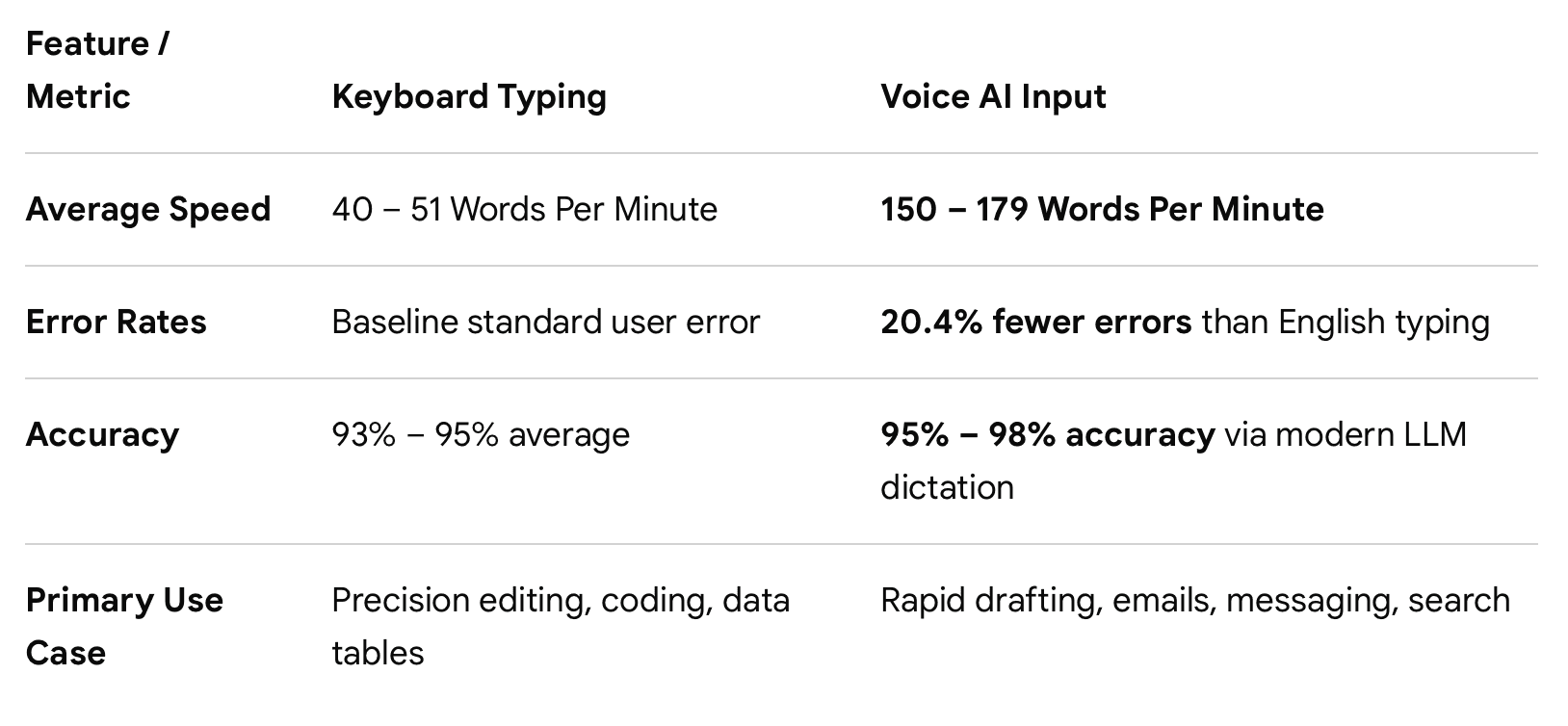
Google Gemini summary of keyboard typing vs voice input